
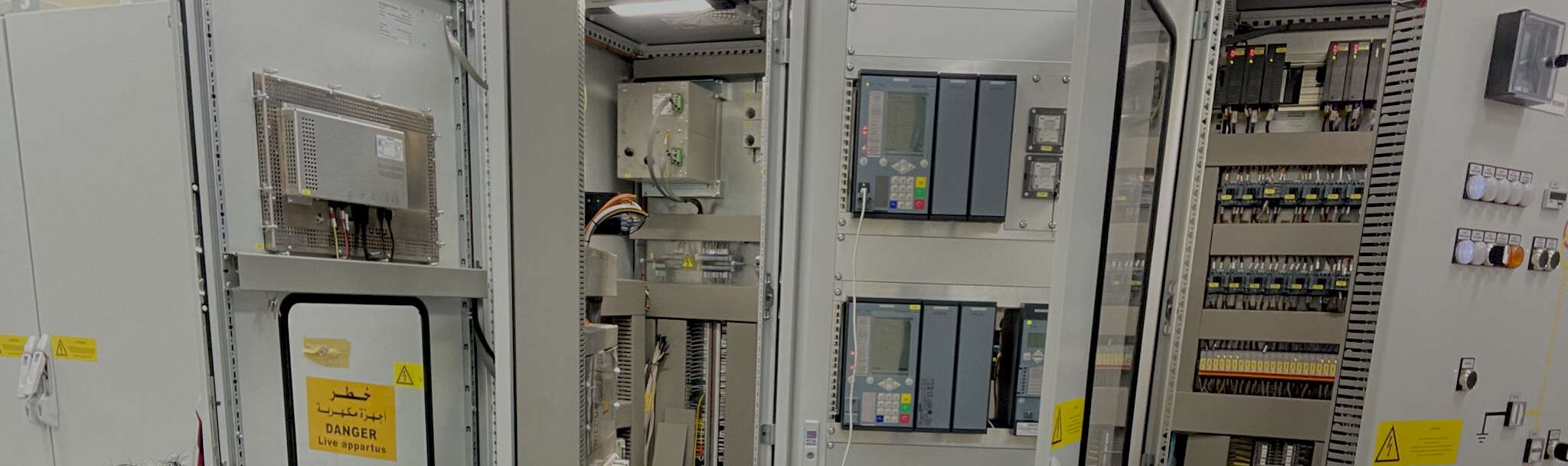
IEC 61850 Course #3 Vendor-Specific IEC 61850 for SEL, Siemens, and ABB
This course explains how IEC 61850 is applied in real equipment from three major protection and automation vendors: SEL, meaning Schweitzer Engineering Laboratories; Siemens; and ABB, meaning Asea Brown Boveri. The main purpose of the course is to help students understand that IEC 61850 is a standard, but each vendor presents the standard in a slightly different way. The course consists in 10 lessons and 4 hours 27 minutes duration.

Course Description
This course explains how IEC 61850 is applied in real equipment from three major protection and automation vendors: SEL, meaning Schweitzer Engineering Laboratories; Siemens; and ABB, meaning Asea Brown Boveri.
The course does not attempt to teach every software menu or every relay model. Instead, it teaches students how to recognize the common IEC 61850 ideas inside each vendor’s tools, relay settings, configuration files, datasets, reports, GOOSE messages, and testing workflows.
The course consists in 10 lessons and 4 hours 27 minutes duration.
Why This Course is Needed
This course is needed because many students can understand IEC 61850 in theory but become confused when they open real vendor software.
The same IEC 61850 idea may appear differently in SEL, Siemens, and ABB tools. For example, each vendor may use different menus, labels, file handling methods, naming styles, dataset configuration screens, report configuration screens, and GOOSE publishing or subscribing workflows.
This course helps bridge the gap between classroom theory and field application. It shows the student how the ideas from Course #1 and Course #2 appear in actual vendor environments.
Course Learning Outcomes
By the end of this course, the student should be able to:
- Explain how IEC 61850 concepts appear inside SEL, Siemens, and ABB systems.
- Recognize vendor-specific terms while still understanding the common IEC 61850 meaning.
- Identify where SCL files are created, imported, exported, and used.
- Explain the purpose of common SCL file types, including ICD, meaning IED Capability Description; SCD, meaning Substation Configuration Description; and CID, meaning Configured IED Description.
- Describe how GOOSE messages are configured in vendor tools.
- Describe how MMS reports and datasets are handled in vendor systems.Compare how SEL, Siemens, and ABB present similar IEC 61850 functions.
- Understand the basic steps used to test and verify vendor-specific IEC 61850 configurations.
- Recognize common mistakes that occur when moving from standard IEC 61850 theory to real device configuration.
Who This Course is Intended For
This course is for students who already understand the basic ideas of IEC 61850 and are now ready to see how the standard is applied in real vendor equipment.
It is intended for:
- Protection and control technicians
- Substation automation engineers
- Relay technicians
- Commissioning engineers
- Testing personnel
- Utility engineers
- Students who have completed Course #1 and Course #2
Lesson Titles and Contents
Lesson #00: Introduction
This introductory lesson explains the purpose of Course #3 and how it builds on the earlier IEC 61850 courses. It introduces the idea that IEC 61850 is a common standard, but each vendor presents and configures the standard through its own software tools, relay settings, file handling methods, and terminology.
Contents include:
– Purpose of Course #3
– Review of what students should already know from Courses #1 and #2
– Why vendor-specific IEC 61850 knowledge is important
– Introduction to SEL, Siemens, and ABB
– How the course will compare common IEC 61850 concepts across different vendor platforms
– Reminder that the course focuses on practical understanding, not memorizing every software screen
Lesson #1: Vendor-Specific Applied IEC 61850
This lesson explains why IEC 61850 looks different when applied in real vendor equipment. Students learn that the standard provides the common communication structure, but each manufacturer has its own way of displaying, naming, and configuring IEC 61850 functions.
Contents include:
– Difference between the IEC 61850 standard and vendor implementation
– How SEL, Siemens, and ABB present similar IEC 61850 functions differently
– Why vendor tools may use different menus, names, and workflows
– Importance of recognizing common IEC 61850 concepts behind vendor-specific screens
– Practical examples of vendor differences
– How to approach unfamiliar vendor software
Lesson #2: ICD File Deep Dive
This lesson focuses on the ICD file, meaning IED Capability Description file. Students learn what the ICD file contains, why it is important, and how it fits into the IEC 61850 engineering workflow.
Contents include:
– Review of SCL, meaning Substation Configuration Language
– Explanation of ICD, meaning IED Capability Description
– What information is normally found inside an ICD file
– How an ICD file describes the capabilities of an IED, meaning Intelligent Electronic Device
– How ICD files are used by system configuration tools
– Difference between ICD, SCD, and CID files
– Common problems caused by incorrect, missing, or outdated ICD files
Lesson #3: SEL: Schweitzer Engineering Laboratories
This lesson introduces how IEC 61850 is commonly applied in SEL equipment and software. Students learn how to identify IEC 61850 functions in SEL relays and how SEL-specific tools fit into the overall engineering process.
Contents include:
– Introduction to SEL, meaning Schweitzer Engineering Laboratories
– Common SEL relay families used in IEC 61850 projects
– How SEL presents IEC 61850 settings and communication options
– Where SCL files are used in SEL workflows
– How GOOSE, meaning Generic Object Oriented Substation Event, is configured conceptually in SEL systems
– How MMS, meaning Manufacturing Message Specification, is used for client-server communication
– Practical points to check when integrating SEL devices with other vendors
Lesson #4: Siemens SIPROTEC 5 Relays
This lesson introduces Siemens SIPROTEC 5 relays and explains how IEC 61850 is applied within the Siemens environment. Students learn how Siemens tools organize device configuration, communication settings, and IEC 61850 data.
Contents include:
– Introduction to Siemens SIPROTEC 5 relays
– How Siemens tools support IEC 61850 engineering
– How Siemens devices use SCL files
– How data models appear in Siemens relay configuration
– How GOOSE publishing and subscribing are handled conceptually
– How MMS reports and communication are configured conceptually
– Practical points to check when integrating Siemens devices with SEL or ABB devices
Lesson #5: ABB: Relion-Series Relays
This lesson introduces ABB Relion-series relays and explains how IEC 61850 is applied in ABB equipment and configuration tools. Students learn how ABB presents standard IEC 61850 ideas in its own vendor-specific environment.
Contents include:
– Introduction to ABB, meaning Asea Brown Boveri
– Overview of ABB Relion-series relays
– How ABB tools support IEC 61850 configuration
– How ABB devices use SCL files
– How ABB presents data models, datasets, reports, and GOOSE messages
– How MMS communication is handled conceptually
– Practical points to check when integrating ABB devices with SEL or Siemens devices
Lesson #6: Multi-Vendor Relays
This lesson explains what happens when SEL, Siemens, ABB, and possibly other vendor relays must work together in the same IEC 61850 system. Students learn why multi-vendor integration is possible, but also why careful checking is required.
Contents include:
– Meaning of multi-vendor IEC 61850 integration
– Why IEC 61850 supports interoperability
– Why interoperability does not mean all tools look the same
– Common differences between vendor naming, settings, and file handling
– Importance of consistent SCL files and data mapping
– Common multi-vendor problems
– Practical checklist for reviewing multi-vendor relay communication
Lesson #7: GOOSE Configuration & Cross-Vendor Interoperability Testing
This lesson focuses on GOOSE communication between vendor devices. Students learn how publisher and subscriber relationships are configured and how to test whether GOOSE messages are working correctly across different manufacturers.
Contents include:
– Review of GOOSE, meaning Generic Object Oriented Substation Event
– Publisher and subscriber communication
– GOOSE datasets and control blocks
– How GOOSE messages may represent trip, block, interlock, alarm, or status signals
– What must match between sending and receiving devices
– Testing GOOSE between different vendor relays
– Common GOOSE interoperability problems
– Using packet capture tools such as Wireshark to confirm message behavior
Lesson #8: Sampled Values Integration
This lesson explains how Sampled Values are applied in IEC 61850 systems and how they may be integrated with vendor relays. Students learn how current and voltage measurements can be digitized and shared over the process bus.
Contents include:
– Review of SV, meaning Sampled Values
– Review of MU, meaning Merging Unit
– Review of CT, meaning Current Transformer
– Review of VT, meaning Voltage Transformer
– Role of the process bus
– How sampled current and voltage information is published over Ethernet
– How vendor relays may receive and use Sampled Values
– Importance of time synchronization for Sampled Values
– Common Sampled Values integration and testing concerns
Lesson #9: MMS Communication & SCADA Integration
This lesson explains how MMS is used between IEC 61850 devices and station-level systems such as SCADA and HMI systems. Students learn how reports, controls, and monitored values are exchanged using client-server communication.
Contents include:
– Review of MMS, meaning Manufacturing Message Specification
– Review of SCADA, meaning Supervisory Control and Data Acquisition
– Review of HMI, meaning Human-Machine Interface
– Client-server communication
– MMS reports and datasets
– Buffered and unbuffered report concepts
– How vendor relays provide data to SCADA systems
– Common MMS configuration and troubleshooting issues
Lesson #10: Commissioning, Testing & Real-World Troubleshooting
This final lesson brings the course together by focusing on commissioning, testing, and troubleshooting real IEC 61850 systems. Students learn how to work through problems in a practical and organized way.
Contents include:
– Review of the complete vendor-specific IEC 61850 workflow
– FAT, meaning Factory Acceptance Test
– SAT, meaning Site Acceptance Test
– Checking SCL files before testing
– Testing GOOSE communication
– Testing MMS communication
– Testing Sampled Values and time synchronization
– Troubleshooting by checking the device, file, network, and function
– Final review of how Course #3 connects theory to real vendor equipment
Course Content
About Instructor

 +4
enrolled
+4
enrolled
Course Includes
- 11 Lessons
- 1 Quiz
- Course Certificate
- Lifetime Access
